


Auto Loan in EasyWay
Keep track of your Auto Loan with ease.
View your balance, payment schedule, and important details anytime.
Frequently Asked Questions
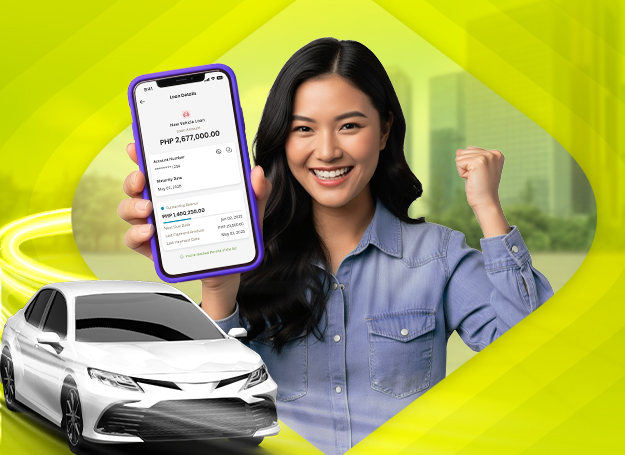
EasyWay now allows you to conveniently view your Auto Loan account details through the app (mobile and web).
Only eligible Auto Loans are displayed. Your loan will appear if it meets the following:
- Active and current status
- Booked starting January 1, 2023 onwards
- No unpaid billed principal or interest
If your loan is not visible, it may not meet the current eligibility criteria. Please call our Customer Service at (632) 8888-1700 for inquiries.
You can easily access the following information:
- Loan product
- Loan account number
- Outstanding balance
- Next payment date
- Maturity date
- Last payment date and amount
Your loan is validated each time you access it. If it no longer meets the eligibility requirements, access to the details may be temporarily unavailable.
Loan payment is not yet available in EasyWay.
At this time, the following features are also not yet supported:
• Pay-off amount viewing
• Statement of Account (SOA) download
• Transaction history
These will be made available in future updates.
You may check the following:
- Your loan account is current
- There are no unpaid billed amounts
- The loan was booked starting January 1, 2023 onwards
For further assistance, you may contact Customer Service.
The Outstanding Balance shown reflects your current loan balance and may differ from your full pay-off amount.
For full settlement details, please coordinate with our Auto Loans servicing team.
Recent payments may take time to be processed and reflected in the app.
If the payment is still not updated after the standard processing time, you may contact Customer Service.
SOA download is not yet available in the app.
You may request your SOA through our servicing channels.
For further assistance, you may reach out to:
- EastWest Bank Customer Service Hotline: (02) 8888-1700
- Email: service@eastwestbanker.com
- Chat with ESTA: Available on Facebook Messenger